
Slideshow Collage vs Animated Photo Groups - Pros, Cons, and How to Choose the Best Look
If you've ever built a slideshow and thought, "I have 300 photos and one song… this will be fine," you are not alone. The photos are great, the music is perfect, and the moment matters. Then the real problem shows up: how do you keep the slideshow watchable, clear, and emotional without turning it into either a photo traffic jam or a slow crawl?
One of the biggest decisions is how you present multiple photos. Two popular approaches are a slideshow collage and an animated photo group effect. Both can look beautiful. Both can also be overused. The goal is not to use the fanciest trick. The goal is to match the style to the story and the audience.
This guide explains what a slideshow collage is, what animated photo groups are, when to use each, and how to blend them so your slideshow feels professional and easy to enjoy.

What Is a Slideshow Collage
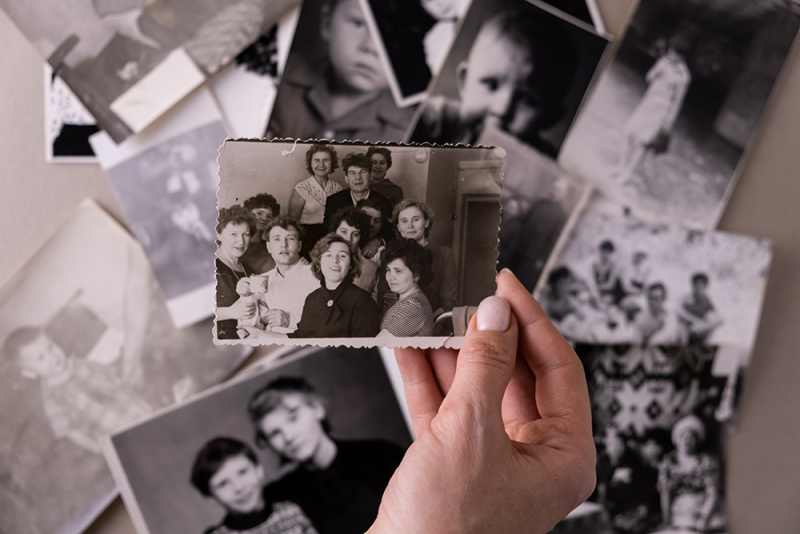
A slideshow collage is a single slide or short scene where multiple photos appear on screen at the same time in a designed layout. The photos are visible together, and the layout is intentional.
Common collage layouts include grids, film strips, polaroid stacks, and themed boards like Friends, Family, Travel, or Sports. Some collages stay mostly still. Others have subtle motion, but the focus is still on the layout and the viewer's ability to scan and recognize faces quickly.
A slideshow collage works best when you want structure, coverage, and a "look around and spot people" moment.
What Are Animated Photo Groups
Animated photo groups are scenes where two or more photos move together as one coordinated effect. This is the style many people describe as multiple photos gently floating across the screen. Instead of placing many photos into a static grid, you create a mini montage where photos drift, slide, layer, and exit smoothly.
Examples include three photos drifting left to right with gentle easing, a stack reveal where photos slide in one by one, or a layered "depth" effect where the foreground photo moves slightly faster than the background photo for a subtle cinematic feel.
Animated photo groups work best when you want pacing, rhythm, and a modern highlight reel vibe without cramming too many images into one frame.
The Core Difference
A slideshow collage shows many photos at once. It is structured and scan-friendly. It feels like a memory board.
Animated photo groups show a few photos as a moving set. They are rhythm-friendly and cinematic. They feel like a mini montage.
If a collage compresses memories into one moment, an animated group choreographs them into a short scene.
Pros of Using a Slideshow Collage
A slideshow collage helps you include more photos in less time. If you have a large photo collection, collages let you show more memories per minute without rushing every single image.
Collages are excellent for group shots and "everyone is included" moments. Wedding guest highlights, family reunions, team seasons, and work events often produce lots of photos with many people. A collage can showcase those moments efficiently while keeping faces visible.
Collages also make strong chapter breaks. When you shift from childhood to teenage years, or from college to career, a collage can act like a visual section header even without text. It tells viewers, "We're moving into a new part of the story."
Another advantage is that collages give viewers time to scan. In real life, slideshows are often watched in rooms where people are talking, laughing, and pointing at the screen. A collage creates a natural "spot the memory" moment that supports conversation and connection.
Cons of Using a Slideshow Collage
The biggest risk is faces getting too small. If you pack nine photos into a collage, faces shrink quickly, especially on a TV across the room or when the slideshow is viewed on a phone.
Cropping is another challenge. Collages frequently require cropping to fit the layout. Cropping can accidentally cut off heads, remove key people, or eliminate important context like signage, dates, or locations.
Collages can also feel busy during emotional moments. If you are creating a memorial tribute or a heartfelt anniversary slideshow, a dense collage can feel like you are speeding through feelings. That is usually not the mood you want in the most meaningful parts of the story.
Mobile viewing matters too. Collages need fewer photos and bigger tiles to stay readable on phones. If your slideshow will be shared by text message or social media, this is a major consideration.
Pros of Using Animated Photo Groups
Animated photo groups feel modern and cinematic. They often look more "produced" because the motion creates flow and polish. This style is a great fit for weddings, graduations, anniversaries, birthday tributes, and upbeat celebration-of-life videos where the tone supports a gentle, uplifting pace.
Animated groups can be more readable than dense collages because you usually show fewer photos at once. A three-photo montage can keep faces larger and easier to recognize while still giving you variety and momentum.
This approach is also music-friendly. If you want motion that matches beats and phrases, animated groups make it easier to choreograph entrances and exits in a way that feels intentional. When done gently, this creates a professional rhythm that keeps viewers engaged without feeling flashy. For more on pairing motion with music, see our guide on choosing slideshow music.
Animated groups also help you tell mini stories. You can group three related moments into a single scene, such as first apartment, first pet, first vacation. Or proposal, engagement shoot, honeymoon. Or grandparent, grandkids, family gathering. These small clusters create story beats that feel cohesive.
Cons of Using Animated Photo Groups
Animated groups can feel repetitive if you use the same move over and over. If every scene is three photos floating in the same direction at the same speed, viewers will start noticing the effect instead of the memories. Variety matters.
Motion can distract if it is too fast or too strong. The goal is gentle movement, not a theme park ride. Smooth easing and slower pacing usually look more professional and more emotional.
Low-resolution photos can look worse in motion. When an image is soft or grainy, moving it across the screen can make that softness more noticeable. In those cases, a simple collage or a full-screen still can be more flattering. Restoring or improving old photos before using them in motion can help.
Animated groups also require more design discipline. To look polished, the photos need consistent scaling, clean margins, and consistent shadows. Without consistency, the montage can look "template-y" even if the photos are wonderful.
When to Use a Slideshow Collage
A slideshow collage is a strong choice when you have lots of photos and limited time, especially in sections that focus on community and group moments. Collages are also great when the slideshow will be watched from a distance on a TV and you want people to scan and recognize faces easily.
Wedding reception example. A collage works well for guests, bridal party, and dance floor moments between major story beats about the couple. For more ideas, see creative ways to display a slideshow at special events.
Graduation example. Collages work well per era, such as elementary, middle school, and high school, or for clubs, sports, and friend groups.
Memorial slideshow example. A gentle collage can work for friends and family or hobbies and joys, especially when you keep the photo count low and faces readable. For guidance on building a memorial slideshow, see our tips for quickly creating a funeral slideshow.
Birthday tribute example. A decade collage can be a fun chapter marker, such as The 90s, The 2000s, and The Glow-Up Years.
When to Use Animated Photo Groups
Animated photo groups are a strong choice when you want cinematic pacing and music-synced motion. They also work well when you want modern energy without cramming a grid, and when you want flexibility mixing portrait and landscape images.
Wedding love story example. A three-photo group can show first date, proposal, and engagement photos as one smooth montage.
Graduation highlight example. A three-photo group can show sports, friends, and cap-and-gown photos with gentle motion timed to the chorus.
Memorial celebration-of-life example. A two-photo group can pair a favorite portrait with a favorite candid. A three-photo group can show family, laughter, and a meaningful place, keeping motion subtle and respectful.
The Pro Blend Approach
Most strong slideshows blend three styles intentionally.
First, use full-screen singles for emotional hero photos. These are the images you want viewers to feel. Close faces, meaningful moments, and signature memories often deserve full screen.
Second, use animated photo groups for momentum and modern pacing. These mini montages keep the slideshow flowing and help you cover more photos without feeling rushed.
Third, use slideshow collage moments for coverage and chapters. Collages are best as section breaks and group highlights, not as the only style used throughout.
A simple structure that works well for many occasions is a strong full-screen opener, an animated photo group to set rhythm, a collage chapter break for friends and family, full-screen singles for key moments, and then repeating with variety until a strong full-screen closer.
This balance keeps the slideshow clear and watchable for mixed audiences. It works for kids, grandparents, friends, and everyone in the middle, including the cousin who stands three inches from the TV like it is a museum exhibit.
Practical Tips for Slideshow Collage
Keep the collage photo count realistic. Two to four photos is ideal for readability. Six can work if faces are still large. Nine or more should be used sparingly and only when faces are not the focus.
Use spacing like it is a design feature. Even margins and gutters are what make a collage feel clean and professional instead of cramped.
Crop with intention. Prioritize faces and meaningful moments. Avoid crops that cut off heads or remove context unless you are making a deliberate artistic choice.
Use collages as transitions. Collages are strongest as section breaks, group highlights, and quick bursts of memories that reset the pace.
Practical Tips for Animated Photo Groups
Stick to two to four photos per group. Three is a common sweet spot that feels dynamic without clutter.
Use gentle easing. Smooth ease-in and ease-out motion feels natural. Linear movement often looks mechanical and can pull attention away from the story.
Match motion direction within the group. If one photo moves left while another moves right, it can feel chaotic unless you are deliberately designing contrast.
Keep faces readable. If viewers cannot recognize someone quickly, the photos are probably too small. Scale up, reduce the number of photos in the group, or use a full-screen single.
Be consistent with shadows. Either use a subtle consistent shadow style across groups or skip shadows entirely. Mixed shadow styles can make even great photos look less polished.
Examples of How to Mix Both Styles
Wedding reception pacing example. Open with one full-screen hero photo of the couple. Use an animated group for engagement highlights. Use a slideshow collage for friends and bridal party. Return to full-screen singles for proposal and meaningful moments. Use one more animated group for honeymoon or travel, then close with a strong full-screen image.
Memorial slideshow pacing example. Use more full-screen singles for emotional clarity. Add gentle animated groups for pacing only when the photos are strong and readable. Use one or two clean collages for friends and family or hobbies, keeping the collage photo count low so faces remain recognizable.
Graduation pacing example. Use animated groups for milestones and activities. Use collages for friend groups, clubs, and team seasons. Use full-screen singles for cap-and-gown hero shots and family portraits.
Conclusion
A slideshow collage is best when you want structure, coverage, and a scan-friendly moment. Animated photo groups are best when you want cinematic flow, modern pacing, and music-synced storytelling.
If you want a slideshow that blends collages and animated photo groups without feeling busy, we can help. View our slideshow packages and pricing. If you tell us the occasion and the type of photos you have, we can recommend the best style mix and pacing for your story.
FAQs
What is a slideshow collage?
A slideshow collage shows multiple photos on screen at the same time in a designed layout like a grid, filmstrip, or polaroid stack.
What are animated photo groups in a slideshow?
They are scenes where two to four photos move together as one coordinated effect, often floating, sliding, or layering smoothly.
Which style is better for a memorial slideshow?
Often a mix works best, with full-screen singles for key emotional photos, gentle animated groups for pacing, and a few clean collages for friends and family sections.
How many photos should be in a collage?
Two to four is ideal. More can work, but faces become small quickly, especially on TVs and phones.
How many photos should be in an animated group effect?
Two to four is ideal, and three is a popular sweet spot for variety without clutter.
Do animated photo groups always look more professional?
They can, especially with gentle motion and consistency, but overusing the same effect can look repetitive. Variety and pacing matter.
What is the biggest mistake people make with slideshow collage?
Cramming too many photos into one frame so faces become tiny and hard to recognize.
What is the biggest mistake people make with animated photo groups?
Using motion that is too fast or intense, which makes viewers watch the movement instead of the memories.